总览
Chooser 最容易写乱的地方不是列,而是 Context。Context 设计得差,后面每一列都会痛苦:字段找不到、绑定太深、表复用不了、测试难做、玩家配置也塞不进去。
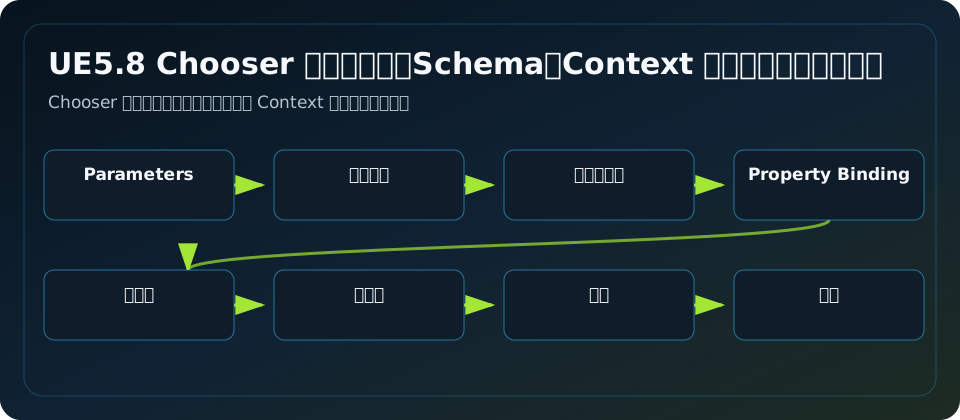
Parameters 是表的签名
UChooserSignature 里有 ContextData,编辑器显示为 Parameters。它描述这张表期待哪些输入对象或结构体。UChooserTable 继承它,UProxyAsset 也实现 IHasContextClass,所以 Chooser 和 Proxy 都能拥有自己的上下文签名。
表的 Parameters 不是运行时数据本身,而是“这张表能绑定哪些类型”。运行时真正传入的是 FChooserEvaluationContext。
Evaluation Context 里有什么
FChooserEvaluationContext 主要有四类东西:
| 字段 | 作用 |
|---|---|
Params | 一组 FStructView,列绑定从这里读写 |
ObjectParams | 对象输入的存储,AddObjectParam 会把对象包装成结构体参数 |
OutputArrays | 多结果模式下保存每个结果对应的输出结构体副本 |
RandomStream | 可选随机流,用于可复现随机 |
这也是为什么蓝图里会先 Make Context,再 Add Object Input / Add Struct Input。
对象参数 vs 结构体参数
对象参数适合传 Actor、AnimInstance、Controller、AbilitySystemComponent 这类已有 UObject。结构体参数适合传一次性快照,比如输入 Tag、距离、上一段技能、玩家连招槽位、目标状态。
推荐做法:
对象参数:AvatarActor、AnimInstance、ASC
结构体参数:FComboChooserContext、FComboChooserOutput
不要为了省事只传 Character,然后在表里绑定 Character.Weapon.Inventory.CurrentItem.Definition.Tags 这种超长链。绑定越深,表越脆。
Context 颗粒度模板
技能连招:
USTRUCT(BlueprintType)
struct FComboChooserContext
{
    GENERATED_BODY()
    UPROPERTY(EditAnywhere, BlueprintReadWrite) FGameplayTag InputTag;
    UPROPERTY(EditAnywhere, BlueprintReadWrite) FGameplayTag PreviousSkillTag;
    UPROPERTY(EditAnywhere, BlueprintReadWrite) FGameplayTag WeaponTag;
    UPROPERTY(EditAnywhere, BlueprintReadWrite) FGameplayTagContainer PlayerTags;
    UPROPERTY(EditAnywhere, BlueprintReadWrite) FGameplayTagContainer TargetTags;
    UPROPERTY(EditAnywhere, BlueprintReadWrite) float TargetDistance = 0.0f;
    UPROPERTY(EditAnywhere, BlueprintReadWrite) bool bIsInAir = false;
};
动画选择:
USTRUCT(BlueprintType)
struct FAnimChooserContext
{
    GENERATED_BODY()
    UPROPERTY(EditAnywhere, BlueprintReadWrite) FGameplayTag LocomotionTag;
    UPROPERTY(EditAnywhere, BlueprintReadWrite) FGameplayTag WeaponTag;
    UPROPERTY(EditAnywhere, BlueprintReadWrite) float Speed = 0.0f;
    UPROPERTY(EditAnywhere, BlueprintReadWrite) float Direction = 0.0f;
    UPROPERTY(EditAnywhere, BlueprintReadWrite) bool bHasTarget = false;
};
AI 选择:
USTRUCT(BlueprintType)
struct FAIActionChooserContext
{
    GENERATED_BODY()
    UPROPERTY(EditAnywhere, BlueprintReadWrite) FGameplayTag Alertness;
    UPROPERTY(EditAnywhere, BlueprintReadWrite) FGameplayTagContainer EnemyTags;
    UPROPERTY(EditAnywhere, BlueprintReadWrite) float DistanceToEnemy = 0.0f;
    UPROPERTY(EditAnywhere, BlueprintReadWrite) bool bHasLineOfSight = false;
};
读写方向
有些参数只读,比如 InputTag、TargetDistance。有些参数可写,比如 FComboChooserOutput。输出列会通过参数绑定把值写回 Context 中的结构体或对象。单结果时,写回的是你传入的结构体;多结果时,如果使用 AddChooserStructInputOutput,系统还会把每个结果对应的输出保存到 OutputArrays。
使用案例:玩家连招配置怎么进 Context
玩家档案可以长这样:
USTRUCT(BlueprintType)
struct FPlayerComboProfileSnapshot
{
    GENERATED_BODY()
    UPROPERTY(EditAnywhere, BlueprintReadWrite) FGameplayTag LightSlot1;
    UPROPERTY(EditAnywhere, BlueprintReadWrite) FGameplayTag LightSlot2;
    UPROPERTY(EditAnywhere, BlueprintReadWrite) FGameplayTag AirLightSlot;
};
运行时把它压缩成 FComboChooserContext 的字段,比如 PreferredMoveTag 或 PlayerComboSlotTag。Chooser 表里用 GameplayTag 列检查偏好是否匹配,再用其它列检查状态是否合法。玩家数据进入表,但规则仍由表控制。
架构分析
Context 是 API 合同。表作者看到 Parameters 就应该知道这张表能用哪些信息;程序看到 Context Struct 就知道要准备哪些数据。你越早把 Context 做小、稳定、可测试,后面表格越容易拆分、复用和自动化测试。
常见坑
- Parameters 写对象类型,运行时却只传结构体,绑定全部失败。
- Context 结构体里塞 UObject 硬引用,导致加载边界混乱。
- 所有表共用一个巨大 Context,任何字段改名都会连环爆炸。
- 输出参数绑定到只读对象字段,表面填了值,运行时没有实际效果。
- 多结果模式下没用输出数组,拿不到每个结果对应的输出。
源码依据
UChooserSignature 定义 Result Type、Result Class 和 Parameters。FChooserEvaluationContext::AddObjectParam 会把 UObject 包成 FChooserEvaluationInputObject 并加入 Params。AddStructParam 和 AddStructViewParam 把结构体以引用视图加入上下文。运行时 VALIDATE_CHOOSER_CONTEXT 会基于表的 ContextData 校验传入上下文。
源码路径索引
Engine/Plugins/Chooser/Source/Chooser/Public/ChooserSignature.hEngine/Plugins/Chooser/Source/Chooser/Public/IObjectChooser.hEngine/Plugins/Chooser/Source/Chooser/Public/IHasContext.hEngine/Plugins/Chooser/Source/Chooser/Public/ChooserPropertyAccess.hEngine/Plugins/Chooser/Source/Chooser/Private/ChooserPropertyAccess.cppEngine/Plugins/Chooser/Source/Chooser/Private/Chooser.cpp